
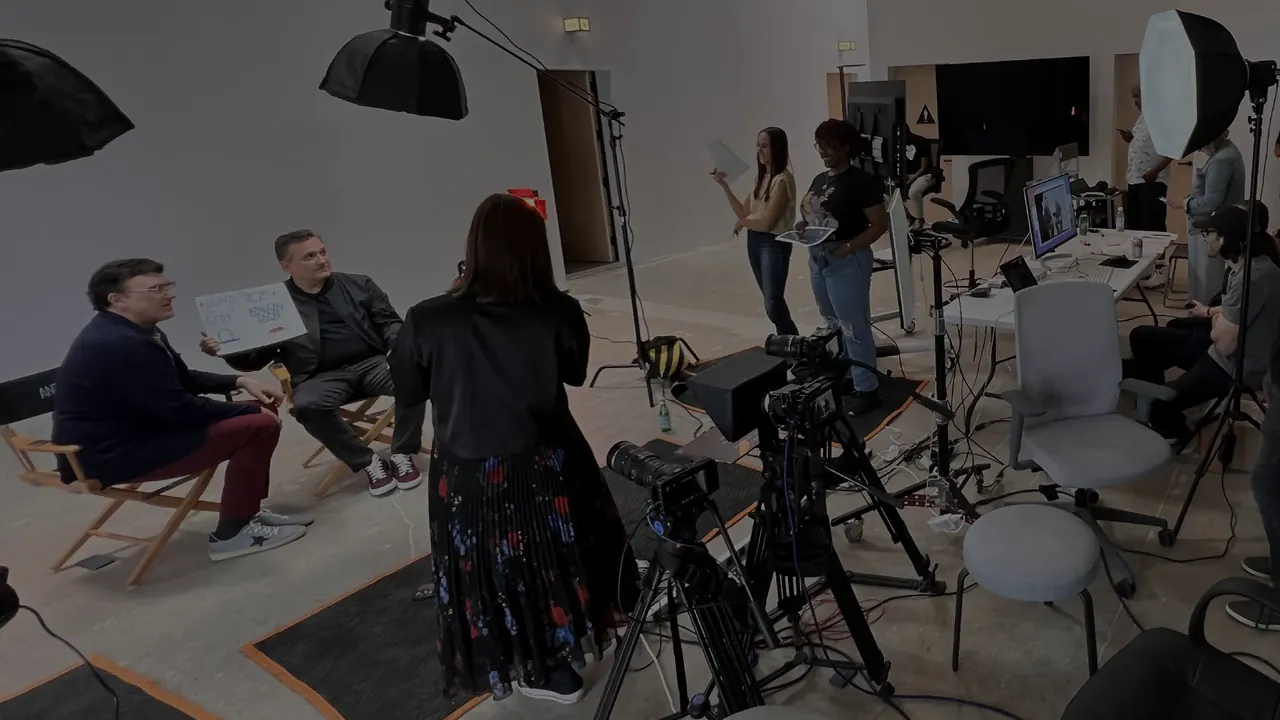
The question isn’t really how many cameras you need — it’s how many shots your edit needs. Work that out first, then put the cameras where those shots are. Here’s how, with the numbers worked out for the Blackmagic Pocket Cinema Camera 6K that our kits use.
Start with the shots, not the cameras
A conversation between two people needs at least one shot of each person. Editors call it a single. Cut between two singles and the edit already works: whoever is talking is on screen.
A third camera adds a wide — both people in one frame. The wide is what makes a podcast look like a show. It sets the room, shows reactions while the other person talks, and gives the editor somewhere to cut when two people talk over each other.
The short answer
- Two people, tight budget: 2 cameras, one on each person.
- Two people, and it should look like a show: 3 cameras — a wide plus two singles.
- Three or more people: one camera per person, plus a wide.
The 2-camera setup
The classic two-camera podcast crosses the singles. Camera A sits beside your guest and looks back at the host; camera B sits beside the host and looks at the guest. Each person is seen in a three-quarter view, looking just past the lens at the other person — the angle you know from talk shows.
- Keep both cameras on one side. Draw an imaginary line through the two people — the 180° line — and keep every camera on the same side of it. The host then looks one way on screen and the guest the other, and the cut feels natural.
- Put the lens at eye level of the person it’s filming, seated. A camera looking up or down at someone changes how they come across.
- Frame head and shoulders, with a little more room on the side each person is looking toward.
The other 2-camera option is one wide plus one single on whoever talks most. It suits interviews where the guest carries the conversation. The trade-off: the host never gets a close-up, so every question plays on the wide.
The 3-camera setup
Add camera C straight in front of the table for the wide, and keep A and B on the singles. Slide A and B out until they sit just outside the edges of C’s frame — check on C’s screen that neither tripod leg sneaks into the wide.
With three angles the editor always has a clean shot: the speaker’s single, the listener’s reaction, or the wide. It also covers you when someone leans out of their single or a camera stops recording.
Which lens, and how far back
The Pocket Cinema Camera 6K has a Super 35 sensor, smaller than full frame, so every lens looks about 1.56× tighter: a 35 mm frames like a 55 mm on a full-frame camera. These distances are worked out from the sensor width (23.1 mm) for the camera’s full-width 6K modes:
| Shot | Focal length | Distance |
|---|---|---|
| Single (head & shoulders) | 35 mm · Sigma 18–35 | ≈ 1.2 m 4 ft |
| Single (head & shoulders) | 50 mm · Tamron 24–70 | ≈ 1.7 m 5.7 ft |
| Single (head & shoulders) | 70 mm · Tamron 24–70 | ≈ 2.4 m 8 ft |
| Single from the back of a room | 100 mm · Tamron 70–200 | ≈ 3.5 m 11.4 ft |
| Wide (two people) | 18 mm · Sigma 18–35 | ≈ 1.7 m 5.6 ft |
| Wide (two people) | 24 mm · Sigma 18–35 | ≈ 2.3 m 7.5 ft |
In practice: the Sigma 18–35 covers the wide and close singles, and its f/1.8 aperture helps in dim rooms. The Tamron 24–70 lets the single cameras stand a little further back, so they’re less in your guests’ faces. The Tamron 70–200 is for when cameras have to stay far away — the back of a room, a stage, a red carpet.
In the camera’s 5.7K mode, stand about 7% farther back. Its 4K Blackmagic RAW mode uses a smaller, cropped part of the sensor, so stand about 1.5× farther back for the same framing.
Set every camera the same
Angles only cut together when the cameras match: same resolution, frame rate, shutter and white balance. Our kits are set to our podcast preset — 5.7K Blackmagic RAW 12:1 at 24 fps — which records about 5 hours 11 minutes on each camera’s own 1TB drive. Each camera runs on two 95Wh batteries: 6½+ hours of continuous recording even at its maximum power draw.
Clap once on camera at the start of every recording, where all the cameras and microphones can see and hear it. That gives you a sync point for lining up the angles in the edit. Free DaVinci Resolve edits Blackmagic RAW.
Light the people, not the room
A soft light on each person, off to the side and a little above eye level, does more for the picture than an extra camera. Keep it the same on everyone so the angles match. Our softbox lights add on to any kit: $10 a day for one, $25 for three.
What each setup costs
Every camera in a kit comes with its lens, a fluid-head tripod, a 1TB drive and two batteries, so the price is the whole setup:
| Kit | Quick Shoot5 hrs | Same-Dayup to 12 hrs | Full Day24 hrs |
|---|---|---|---|
| 2 cameras | $40 | $50 | $60 |
| 3 cameras | $50 | $65 | $80 |
For a full day, the third camera adds $20. If your show has two people and room in the budget for one more camera, the wide is the one to add. Details on the 2-camera and 3-camera kit pages.
When to go bigger
Four people at the table: give each person a single and keep the wide — that’s five cameras. Panels and live sessions add a camera for the audience or a performer. Our fleet has eleven matched cameras, so a 5-camera or 6- to 11-camera setup uses the same lenses and settings as a two-camera one.
Cameras only solve the picture. You’ll still need microphones, a quiet room and someone to press record — see the video podcast equipment checklist.