
The camera · original Pocket 6K, EF mount
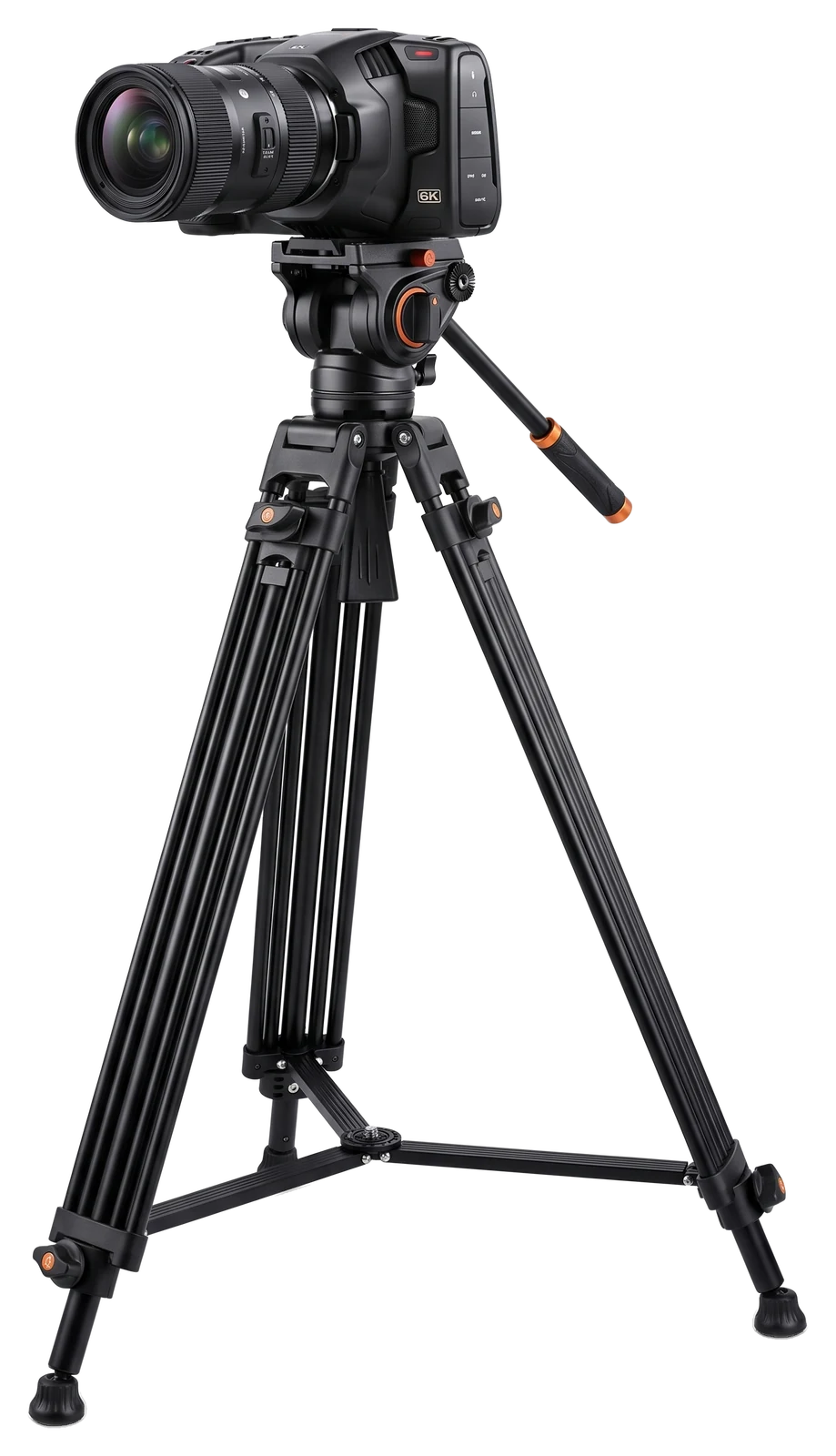
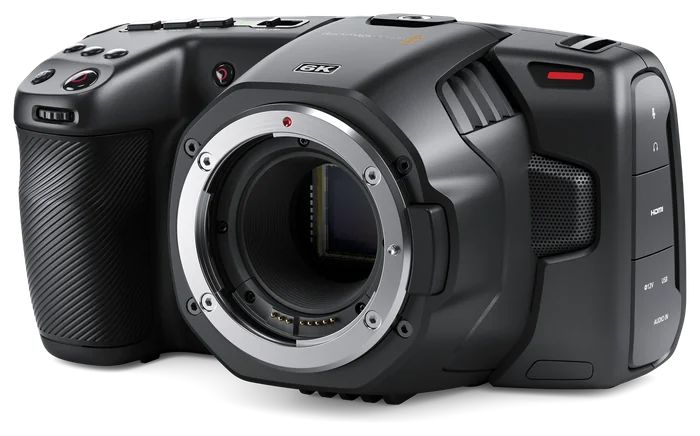
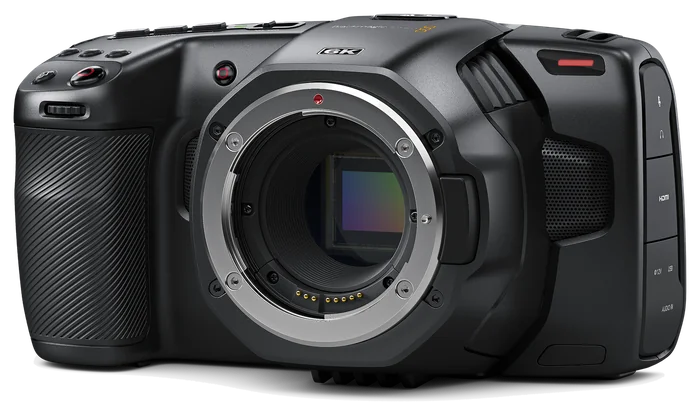
The Blackmagic Pocket Cinema Camera 6K kit.
Every Tinseltown kit is built around the Blackmagic Pocket Cinema Camera 6K with a Canon EF mount: a Super 35 sensor, Blackmagic RAW, and a 5-inch touchscreen you run with a tap. Each one comes complete — lens, tripod, 1TB drive and power — pre-configured for podcasts.
1 camera from $50/day · 2 cameras from $60/day · 11 kits in the fleet. See every kit size.
- Super 356K sensor, 6144 × 3456
- 13 stopsof dynamic range
- 5+ hoursper camera on the 1TB drive at 5.7K BRAW 12:1, 24 fps
- 6½+ hourson two 95Wh batteries, even at maximum draw
Key specs
What’s inside the camera.
The original 2019 Blackmagic Pocket Cinema Camera 6K, Canon EF mount. Figures from Blackmagic’s published specifications.
- Sensor
- Super 35, 23.10 × 12.99 mm · 6144 × 3456 (6K)
- Crop vs full frame
- ≈ 1.56× in 6K (4K DCI Blackmagic RAW crops in: ≈ 2.34×)
- Dynamic range
- 13 stops
- ISO
- Dual native ISO 400 and 3200 · ISO 100–25,600
- Lens mount
- Canon EF
- Resolutions
- 6K up to 50 fps · 5.7K 17:9, 4K DCI and Ultra HD up to 60 fps · HD up to 120 fps
- Codecs
- Blackmagic RAW (12-bit) · Apple ProRes 422 HQ, 422, LT and Proxy (10-bit)
- Screen
- 5-inch 1920 × 1080 touchscreen
- Recording media
- USB-C to an external SSD (Samsung T5 1TB included) · CFast 2.0 · SD UHS-II
- Audio in
- Mini XLR with 48V phantom power · 3.5 mm mic/line (accepts timecode) · built-in stereo mics
- Audio out
- 3.5 mm headphones · built-in speaker
- Video out
- Full-size HDMI, up to 1080p60, 10-bit 4:2:2, clean feed optional
- Power
- 12V locking 2-pin DC input (10.8–20 V) · 16 W standby, 25 W worst case
- Autofocus
- One-shot autofocus with compatible lenses (press FOCUS or tap the screen)
Recording time · Samsung T5 1TB
5+ hours per camera, at our preset.
5+ hours per camera at our podcast preset (5.7K Blackmagic RAW 12:1, 24 fps) — up to ~10 hours in 4K. The camera shows the exact time left.
| Format | 24 fps | 25 fps | 30 fps |
|---|---|---|---|
| 6K6144 × 3456 · Blackmagic RAW 12:1 | 4 h 17 m | 4 h 07 m | 3 h 26 m |
| 6K 2.4:16144 × 2560 · Blackmagic RAW 12:1 | 5 h 47 m | 5 h 33 m | 4 h 38 m |
| 5.7KOur preset5744 × 3024 · Blackmagic RAW 12:1 | 5 h 11 m | 4 h 58 m | 4 h 09 m |
| 6K6144 × 3456 · Blackmagic RAW 8:1 | 2 h 52 m | 2 h 45 m | 2 h 18 m |
| 4K DCI4096 × 2160 · Blackmagic RAW 8:1 · cropped | 6 h 48 m | 6 h 32 m | 5 h 27 m |
| 4K DCI4096 × 2160 · Blackmagic RAW 12:1 · cropped | 9 h 55 m | 9 h 31 m | 7 h 56 m |
| Ultra HD3840 × 2160 · ProRes 422 HQ | 3 h 09 m | 3 h 02 m | 2 h 31 m |
| Ultra HD3840 × 2160 · ProRes 422 LT | 6 h 48 m | 6 h 32 m | 5 h 27 m |
- How we worked it out: Blackmagic’s published data rate for each format (constant bitrate) against the T5’s usable 999.65 GB. Real clips can vary slightly; the camera’s “time remaining” readout is the answer on the day.
- 4K DCI Blackmagic RAW is a cropped mode, so every lens frames about 1.5× tighter. Ultra HD ProRes uses the whole sensor.
- The T5 is on Blackmagic’s approved media list for the Pocket 6K. Record Blackmagic RAW 8:1 or 12:1 to it; 3:1 and Q0 at 6K need faster media.
Power · per camera
6½+ hours on two batteries.
Two 95Wh V-mount batteries per camera: 6½+ hours of continuous recording even at the camera’s maximum power draw. Here’s the maths.
2 ×batteries 95 Wheach 85%usable 161.5 Whto spend 25 Wworst case 6.5 hof recording
| Camera draw | Runtime |
|---|---|
| 25 WWorst case: recording to the SSD, full screen brightness (Blackmagic’s figure) | 6.5 h |
| 20 WA typical podcast take (our estimate) | ≈ 8.1 h |
| 16 WStandby, not recording (Blackmagic’s figure) | 10.1 h |
- 85% usable is a conservative allowance for cut-off voltage, cables, cold and battery age.
- Each kit includes a charger, so you can top up the batteries between shoot days.
- Flying? 95Wh is under the FAA’s 100Wh limit. Spare batteries go in your carry-on, never in checked bags.
How it all connects
From case to recording in eight steps.
Never touched a cinema camera? Every kit arrives pre-configured for podcasts. Here’s how the pieces go together, in the order you’ll do it.
-
K3 · Lens
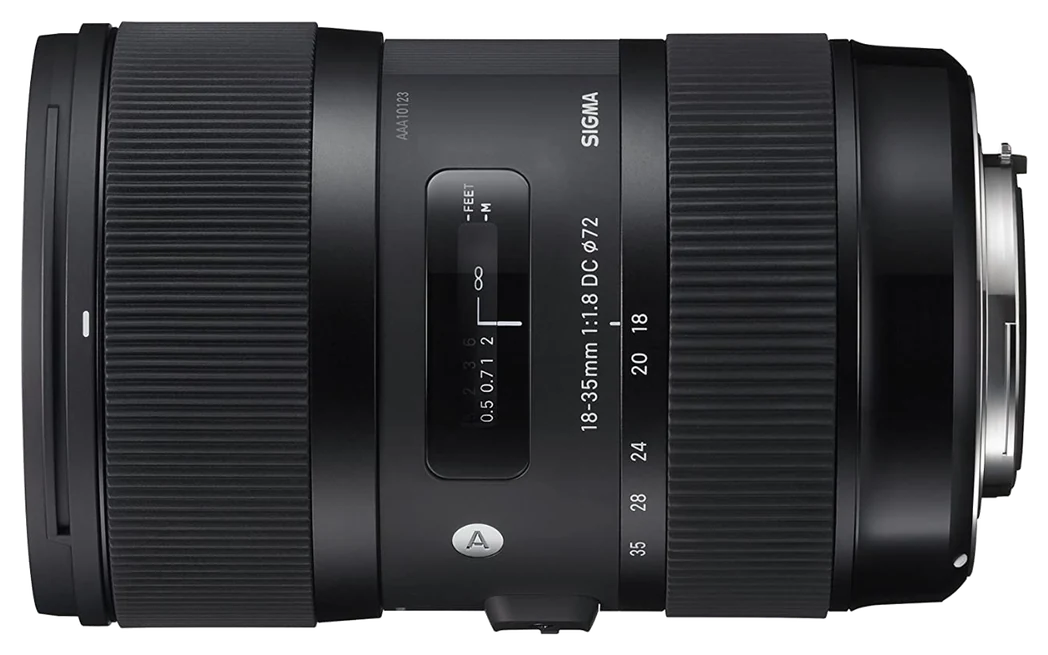
Lens on the camera
Take off the body cap. Line up the dot on the lens with the dot on the camera, push in and twist clockwise until it clicks. To remove it, hold the lock button and twist the other way.
-
Tripod
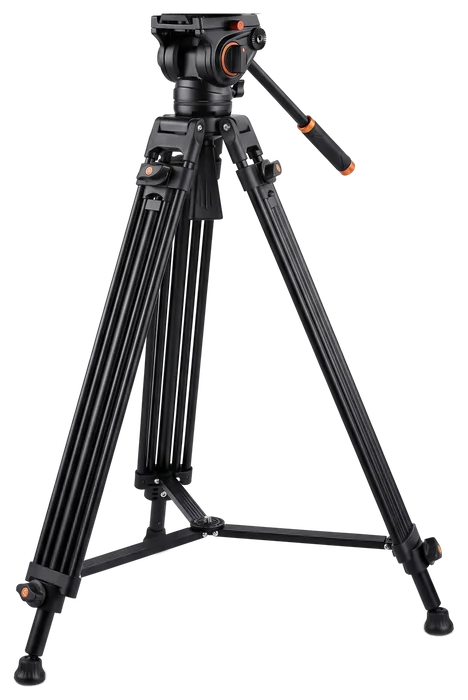
Camera on the tripod
The camera lives in its cage. Screw the tripod’s quick-release plate into the bottom of the cage, slide the plate into the fluid head and lock it. With the 70–200, fix the plate to the lens’s own tripod foot instead.
-
1TB SSD
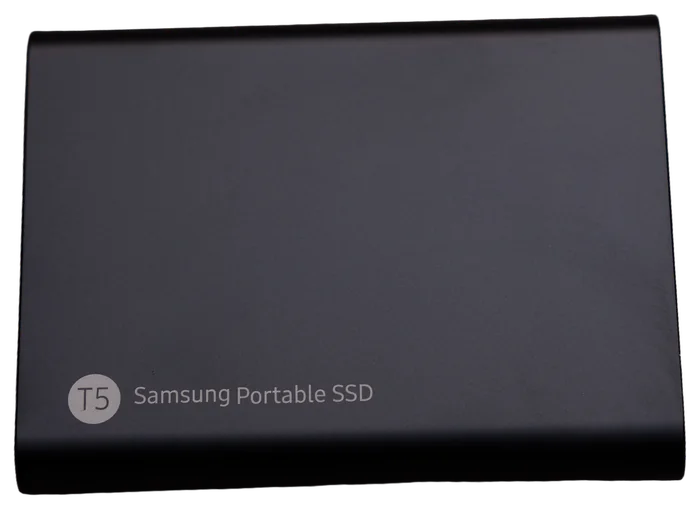
Drive to the USB-C port
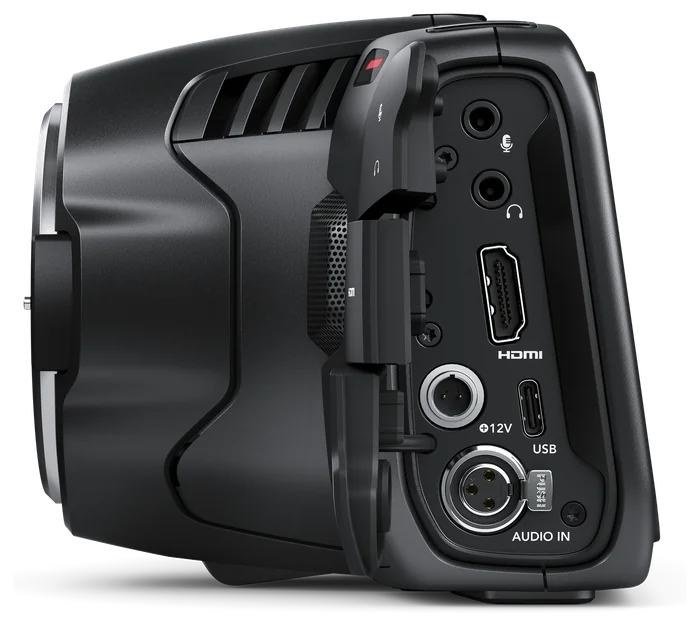
The Samsung T5 clips into its holder on the cage. Plug the short USB-C cable from the drive into the camera’s USB-C port, under the rubber flap on the left side.
-
D-Tap → 12V
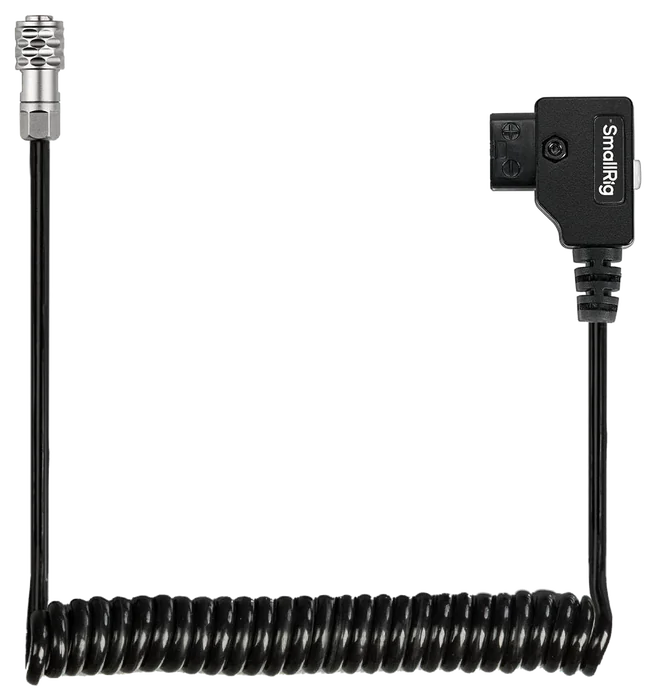
Battery to the power input
Plug the D-Tap end into the V-mount battery. Open the flap on the camera’s left side, line the locking 2-pin plug up with the notch on the 12V jack and push until it clicks. To unplug, pull back the plug’s sleeve.
-
Format · exFAT
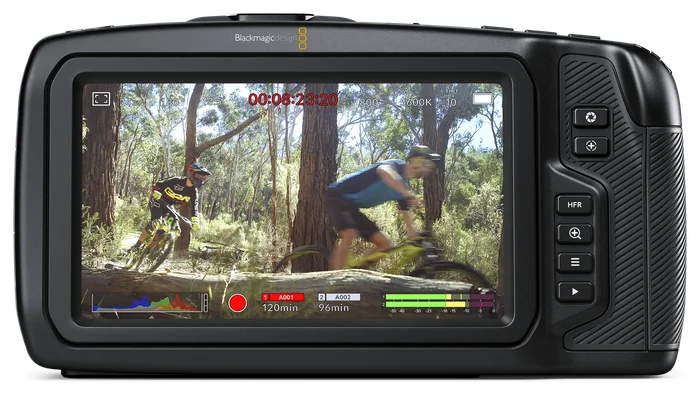
Format the drive (new shoot day)
Back up anything on the drive first. Tap the storage indicator at the bottom of the screen, choose Format drive, pick exFAT (works on Mac and Windows) and hold the format button for 3 seconds.
-
Rec
Pick the drive and record
Tap and hold the media name at the bottom of the screen to choose the USB drive. Start recording with the red button on top of the grip, the front record button or the round button on the touchscreen. The timecode turns red while you record.
-
Focus · Iris
Focus and exposure
Press FOCUS for one-shot autofocus (tap the screen to move the focus point). Press IRIS for auto exposure, or turn the grip wheel to set the aperture. Double-tap the screen to punch in and check focus.
-
Mini XLR · HDMI
Sound and monitoring
Plug a pro mic into the mini XLR input (turn on 48V phantom power only for condenser mics) or a 3.5 mm mic into the mic jack — the built-in mics make a good scratch track. Headphones go in the headphone jack; the full-size HDMI sends a clean 1080p feed to a monitor.
Representative product images (Blackmagic Design press images and retailer photos) · Samsung T5: Tony Webster, CC BY 2.0.
Touchscreen · DaVinci Resolve
Run it from the screen. Edit for free.
Touchscreen operation
The 5-inch screen is the whole control panel: tap to record, focus and check your audio levels, double-tap to punch in on focus.
DaVinci Resolve, free
Free DaVinci Resolve edits the footage. The free version edits and finishes projects up to Ultra HD 60p, with full support for Blackmagic RAW.
Multicam-friendly
Every kit records the same preset, so clips from all your cameras match. Clap once on camera, or let Resolve sync the angles by their audio.
What’s in the case
One camera angle, one case.
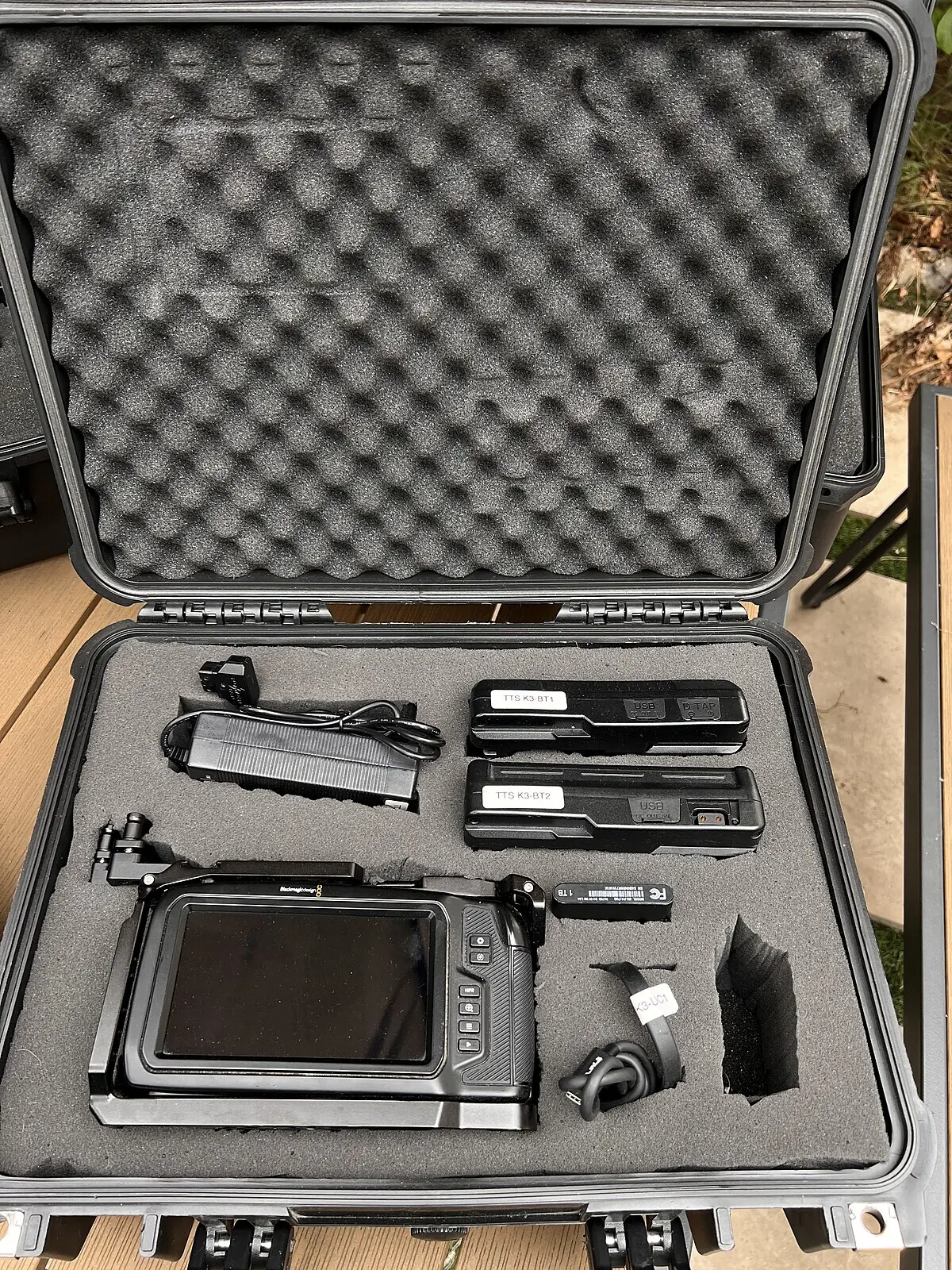
Everything has its own slot in cut foam, so you can see at a glance that it’s all there before you leave — and before you bring it back.
- Blackmagic Pocket Cinema Camera 6K (EF) in cage
- Your choice of lens
- Fluid-head tripod
- Samsung T5 1TB SSD + USB-C cable
- 2 × 95Wh V-mount batteries
- D-Tap to 12V power cable
- Battery charger
- Padded hard case
Kits are checked, charged and formatted between rentals (we keep a 3-hour turnaround window). Pick up and return in Silver Lake, Los Angeles.
Put a cinema camera on every face.
1 camera from $50/day, 2 cameras from $60/day. Book by the hour, pick up in Silver Lake, return tonight.